
Activities / PonderWall
Give every question and thought a place on the wall.
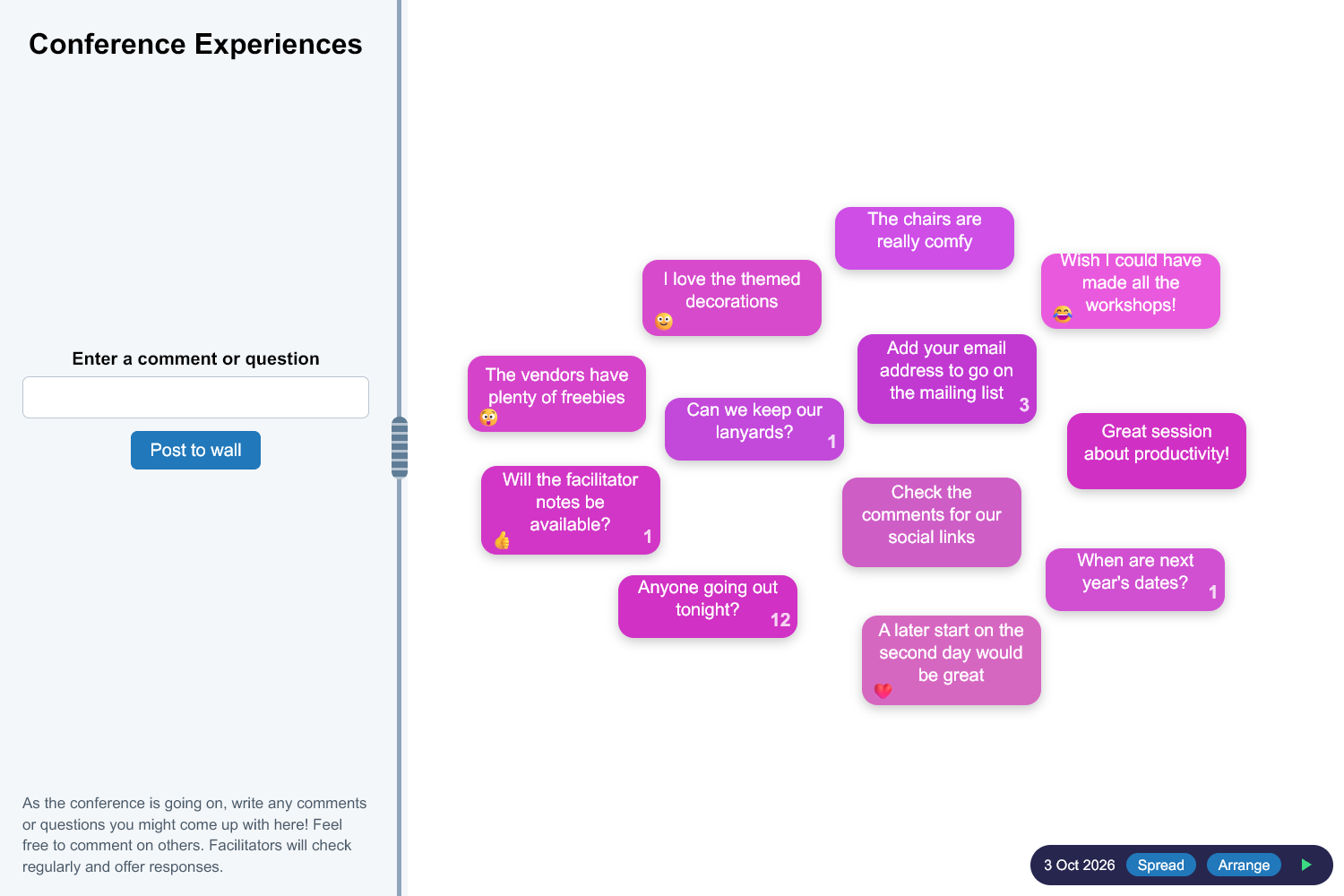
PonderWall is a shared wall that learners post comments and questions to from their own devices. Each one appears as a card on the wall in front of the room, and with interactive comments switched on you and your learners can respond to cards in a conversation thread.
What you get
Comments as cards
Posts appear as cards on one shared wall per session, with no groups to choose between, and they can be dragged around to organise them.
Interactive comments
Open any card to add threaded responses. Replies from you are labelled as coming from the facilitator.
Quick reactions
Learners can react to a card with a choice of emoji.
Moderation built in
A profanity filter is on by default, and you can remove any card from the wall.
How it works
- 1
Create a wall with a title, description and look that suits you.
- 2
Share the link.
- 3
Learners post comments and questions while you read, respond and discuss.
Ideas to get you started
- Collecting questions during a session
- Gathering reactions to a video or presentation
- Keeping a parking lot of ideas to come back to
Nothing for learners to install
Learners open a link and get straight on with it, and the tools are designed with phones, tablets and laptops in mind. You manage everything from one trainer hub.
Works well with
CloudView
Everyone adds words from their own phone and the cloud grows in front of the room, by group or combined.
ExplorePollSet
Learners answer polls full screen on their own device, optionally alongside a live pooled bar chart.
ExploreQuizBack
Build quizzes and feedback forms with a range of question types, then compare results within a group.
ExploreReady to bring your sessions to life?
Create a free account and build your first activity in minutes, or tell us what you need and we will help.